Inside the product
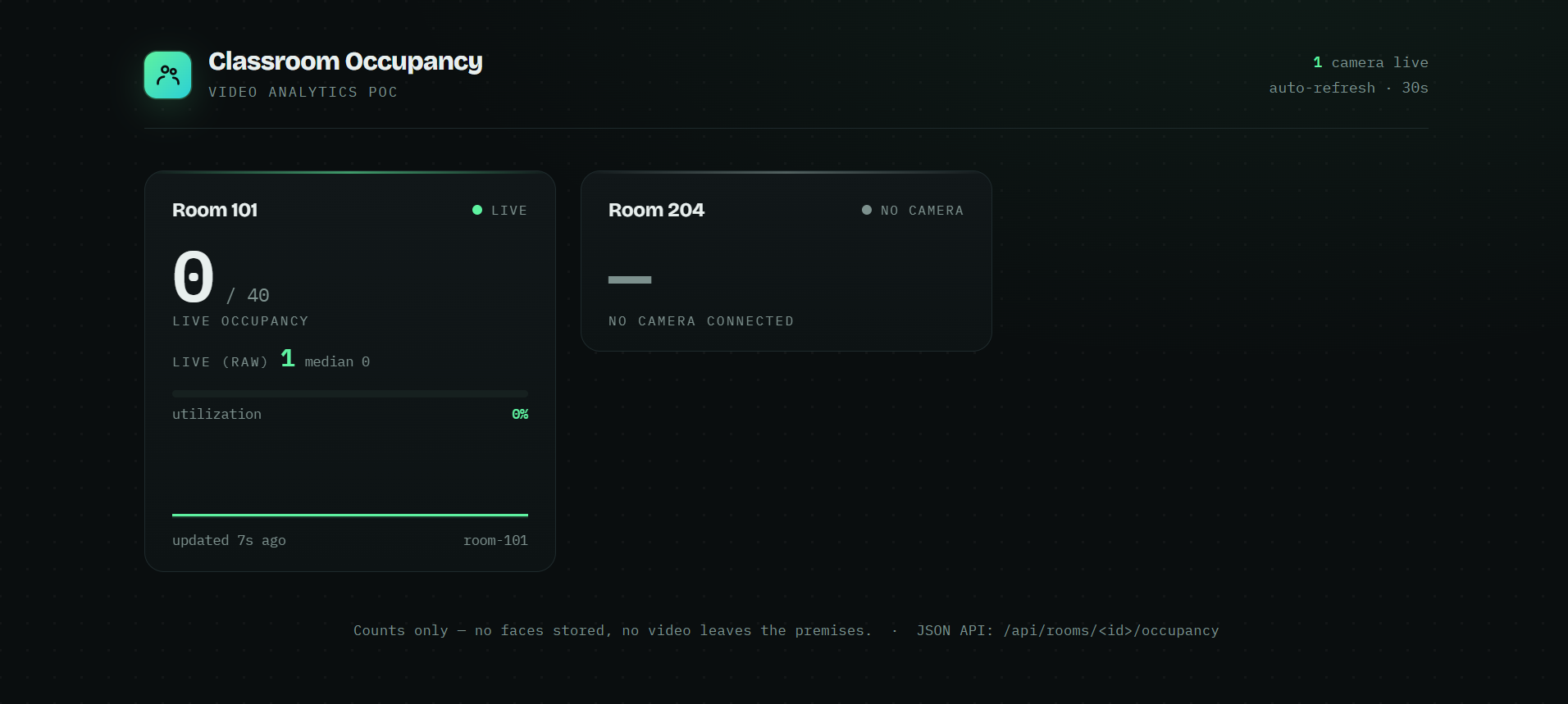
A live occupancy deployment
Counts only — no faces stored, and no video leaves the premises.
Computer vision for PPE compliance, occupancy counting, safety-zone monitoring and anomaly detection — running on hardware at your site, with no frames uploaded to anyone's cloud.
Most video-analytics products work by streaming your camera feeds to someone else's data centre. That is a hard sell for a factory floor, a school, a hospital ward or any site under a confidentiality obligation — and it turns a one-off capital purchase into an uplink bill and a per-camera subscription that grows every year.
Auralis takes the opposite approach. Inference runs on a machine inside your network, next to the cameras. Frames are processed and discarded; what leaves the box is a number, an event or an alert, not video. If your internet connection drops, the analytics keep running.
Manufacturing plants and warehouses use it for safety compliance evidence and for keeping people out of hazardous zones. Schools, colleges and training facilities use occupancy counting to see which rooms are actually being used before committing to new space. Hospitals and care facilities use it where a camera is acceptable but stored footage is not.
The common thread is a buyer who needs the insight but cannot accept the data leaving the premises. Where even a camera is too intrusive — a bedroom, a bathroom, a ward at night — we deploy radar-based sensing instead, which detects falls and presence with no imaging at all.
The system works with the IP cameras you already have, over the network you already run. We size an edge machine for the number of streams and the models involved, install it on site, and integrate the output where you need it — a dashboard, an alert to a phone, a JSON API your own systems can poll, or an announcement over the paging system when an event needs to reach people in the building immediately.
Counts and events can be retained for reporting while the underlying video is not retained at all. That distinction is usually what makes the deployment approvable.
Counts only — no faces stored, and no video leaves the premises.
Vision is one part of what we build — the same team ships the systems around it.
Describe the site and the cameras you have, and we will tell you honestly what is detectable and what is not.